
HOW IT WORKS

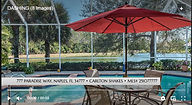
STEP 1) Log In/Sign Up
Check out the video designs on the homepage. Click on the Buy Video Design pop-up while watching a video to Log In/Sign Up and view details of that design. Alternatively, log in and visit the Shop Video Designs page to easily browse through each design along with their respective details.

STEP 2) Browse Product-Pages
Each page features a video, its price, the number of images needed, runtime, and design details. You can easily navigate using the < Prev | Next > links in the menu. Select your preferences from a dropdown menu, which includes music and voiceover options. Enter the full address of the property, click on Add to Cart, review your order, and proceed to Checkout.

STEP 3) Video & Worksheet
Once your order is confirmed, you will receive a Dropbox File Request to upload your assets including images, headshots, and other materials for the video. Additionally, you will receive a reference video with image and text numbers used in each frame of the video, serving as a visual guide to assist you in completing a worksheet, our blueprint to build the video.

STEP 4) What You Receive
The assets you upload will be incorporated into the reference video, which will serve as the working version until you give final approval. You will receive a YouTube link to the completed video, a Dropbox link to download the video, and a thumbnail (still) image. Please note: If you selected YES for the voiceover option, the video portion is finished first and used as a reference for your narration.